Legacy application cloud migration is no longer optional; it is a strategic necessity for scalability, security, and competitiveness. Yet, choosing the right migration approach for complex, business‑critical systems is challenging. In this article, we will explore how to select and design the most suitable cloud migration strategy for legacy applications, how to balance risk, cost, and speed, and how to avoid common pitfalls during execution.
Understanding Legacy Cloud Migration Strategies
The first step in any successful migration is understanding what options you have and what trade‑offs each entails. Many organizations start by framing the decision as “lift and shift vs. refactor,” but the real landscape is richer and more nuanced. To choose effectively, you must align technical options with business priorities, risk tolerance, and long‑term architecture goals.
For a detailed comparison of modernization strategies such as rehosting, replatforming, and refactoring, see this guide: Choosing the Right Migration Strategy to Cloud for Legacy Apps.
Key drivers behind legacy migration
Before you decide how to migrate, you must clarify why you are migrating. Common drivers include:
- Cost optimization: Reduce data center overhead, hardware refresh costs, and software license fees by leveraging cloud infrastructure and platform services.
- Scalability and elasticity: Support fluctuating workloads and growth without over‑provisioning or long procurement cycles.
- Resilience and availability: Improve uptime via multi‑AZ/multi‑region deployments, managed failover, and automated backup strategies.
- Security and compliance: Use built‑in cloud security services, centralized identity, and policy‑as‑code to align with regulatory frameworks.
- Innovation enablement: Enable faster experimentation with microservices, serverless, container platforms, and AI/analytics capabilities.
These drivers often conflict. For example, a “fast and cheap” lift‑and‑shift might reduce infrastructure costs but limit innovation. Conversely, full refactoring can unlock agility but demands time, skills, and higher short‑term investment. Understanding which drivers matter most informs the strategy you choose.
Typical migration strategies for legacy applications
Most migration approaches for legacy systems fall into several broad categories. You may combine or sequence these across different applications in your portfolio.
- Rehost (“lift and shift”)
Move workloads as‑is from on‑premises to cloud virtual machines with minimal change. This is the fastest approach, best for:- Applications close to end‑of‑life but still needed for a limited time.
- Simple architectures with low integration complexity.
- Organizations looking for quick data center exit or cost reduction.
Limitations include suboptimal use of cloud‑native services and retaining existing technical debt.
- Replatform (“lift, tinker, and shift”)
Make targeted optimizations while migrating, such as:- Moving from self‑managed databases to managed DBaaS.
- Replacing file servers with object storage.
- Standardizing on container platforms for easier scaling.
Replatforming is a middle ground: better cloud efficiency without the full cost of refactoring. It requires more planning but can significantly improve performance, reliability, and manageability.
- Refactor / Rearchitect
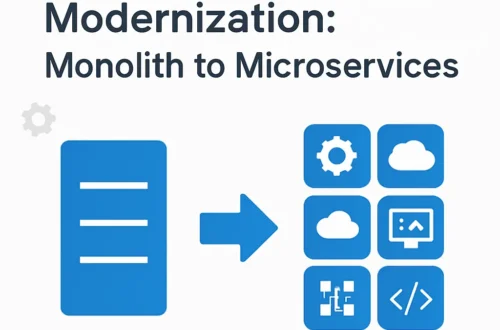
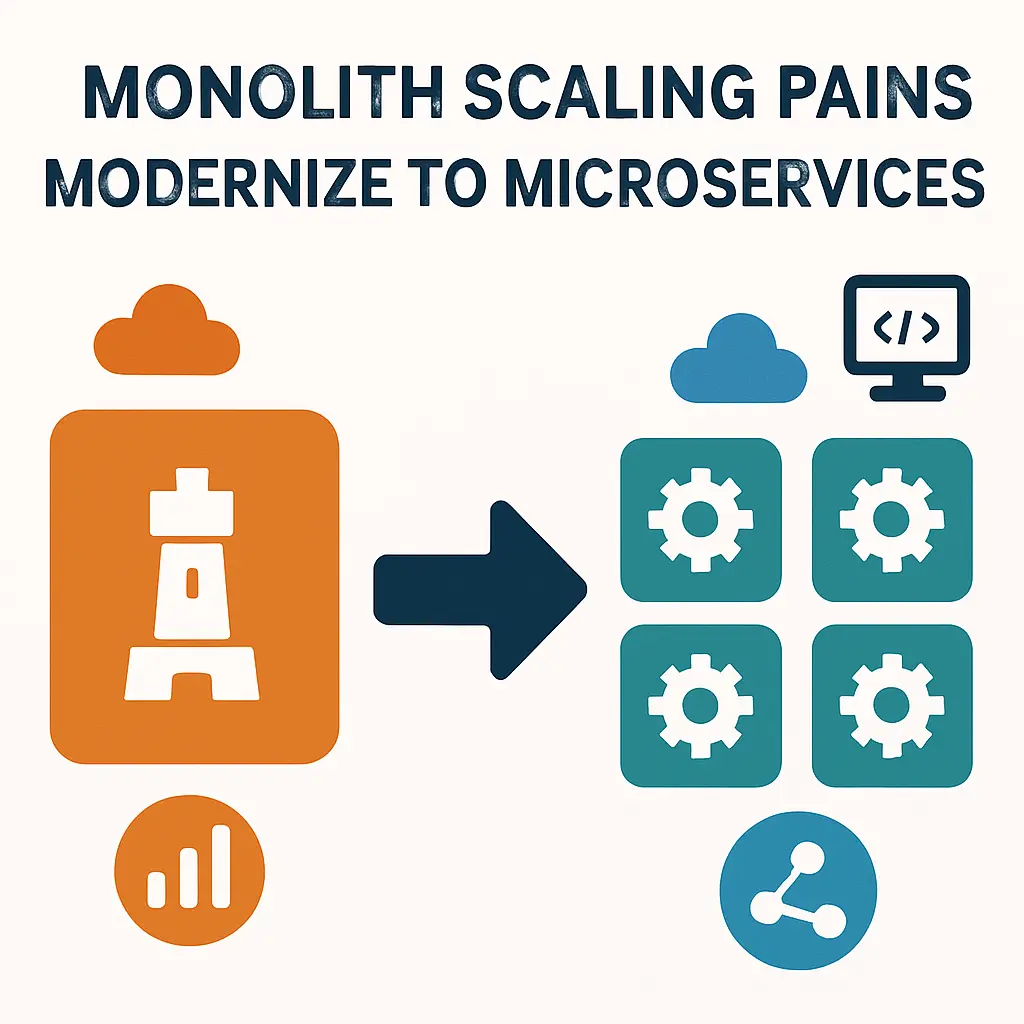
Redesign the application to exploit cloud‑native features and modern patterns:- Decomposing monoliths into microservices or modular components.
- Using serverless functions, managed APIs, and event‑driven architectures.
- Replacing legacy messaging and batch jobs with modern integration patterns.
This unlocks agility and long‑term resilience but is complex and should be guided by clear business value and risk management.
- Retain, retire, or replace
Some applications should not be migrated. You might:- Retain on‑premif tight latency, licensing, or regulatory constraints apply.
- Retire redundant systems discovered during portfolio analysis.
- Replace with SaaS products that offer similar or enhanced functionality.
In practice, enterprises adopt a portfolio‑based strategy, categorizing each application and choosing the least disruptive path that still aligns with long‑term modernization goals.
Assessing legacy complexity and constraints
Your choice of strategy depends heavily on how complex and entangled a legacy system is. A thorough assessment should cover:
- Architecture and dependencies: Monolith vs. modular; synchronous vs. asynchronous calls; internal and external integrations; shared databases.
- Technology stack: Programming languages, frameworks, operating systems, middleware, database versions, and licensing constraints.
- Data characteristics: Volume, velocity, sensitivity, data models, and existing data quality issues.
- Operational profile: Uptime requirements, maintenance windows, performance SLAs, seasonal usage peaks.
- Organizational factors: Skills available, development practices, release cadence, and risk appetite.
From this assessment, you can rank applications by migration readiness and business value, then sequence them in waves. Start with low‑risk, moderate‑value candidates to build experience before tackling mission‑critical systems.
Balancing business and technical priorities
Cloud migration is ultimately a business initiative supported by technology. Effective strategies connect technical choices to measurable outcomes:
- Time‑to‑value vs. architectural purity: A quick rehost may be justified to meet an urgent deadline, with planned refactoring phases later.
- Risk reduction vs. disruption: Zero‑downtime migrations and blue‑green cutovers reduce risk but require more engineering effort.
- Cost optimization vs. flexibility: Aggressive rightsizing and reserved instances lower costs but may reduce flexibility if workloads change.
An optimal approach often uses phased modernization: rehost or replatform first, then incrementally refactor high‑value services while operating in the cloud. This provides early benefits, de‑risks the transformation, and allows teams to build cloud skills progressively.
Common pitfalls in strategy selection
Several recurring mistakes can derail migration efforts:
- “One‑size‑fits‑all” strategy: Mandating refactoring for all applications or lifting and shifting everything ignores the diversity in business value and technical debt.
- Underestimating data gravity: Large or tightly coupled databases severely constrain options and timing; ignoring this leads to extended downtime and migration failures.
- No clear exit strategy for legacy platforms: Keeping critical components on‑premises “temporarily” often becomes permanent, creating hybrid complexity without clear benefit.
- Ignoring people and process change: Moving to cloud without revisiting deployment processes, incident management, and skills development yields limited value.
By aligning strategy with application profiles, data architecture, and organizational readiness, you create a more realistic roadmap and avoid these traps.
Designing and Executing a Cloud Migration Strategy for Legacy Systems
Once you understand your options and constraints, the next step is turning strategy into an executable plan. This means designing the migration architecture, addressing data and database concerns, planning for security and compliance, and laying down an operational model that can sustain the new environment.
For a comprehensive view of planning both application and data movement, see: Cloud Migration Strategy for Legacy Systems and Databases.
Step 1: Build a migration roadmap and governance model
Start by translating high‑level goals into a concrete migration program:
- Application inventory and categorization: Classify each system by business criticality, technical complexity, compliance requirements, and desired future state (rehost, replatform, refactor, retain, replace, retire).
- Wave planning: Group applications into waves based on dependencies and risk. For instance, do not move a dependent reporting system before the core transactional system it relies on.
- Decision framework: Define criteria to justify different migration paths (e.g., “refactor if ROI within 2–3 years and high business differentiation”). This avoids subjective or politically driven decisions.
- Cloud governance: Establish policies for account structure, network segmentation, identity and access management, tagging, cost control, and baseline security.
Strong governance prevents later chaos—such as unmanaged costs, inconsistent security practices, and fragmented environments—that often emerge in uncoordinated cloud adoption.
Step 2: Design target architectures for legacy workloads
For each major system, define a target state architecture that fits its role and constraints:
- Infrastructure choices: Virtual machines vs. containers vs. serverless, considering performance, state management, and OS dependencies.
- Network topology: VPC design, subnets, connectivity (VPN, Direct Connect/ExpressRoute), and segmentation between environments (dev, test, prod).
- Integration patterns: API gateways, event buses, message queues, and how legacy interfaces will be preserved or migrated.
- Resilience and scaling patterns: Load balancers, auto‑scaling groups, multi‑AZ deployment, and disaster recovery regions.
Legacy applications might not immediately fit cloud‑native patterns. A practical approach is to design a transitional architecture that supports the current application while making it easier to modernize later. For example, you can:
- Wrap a monolith with a stable API layer hosted in the cloud.
- Isolate stateful components behind managed databases.
- Use sidecar or adapter patterns to bridge old protocols to modern ones.
Step 3: Plan data and database migration carefully
Data migration is often the hardest part of moving legacy systems. Decisions here affect downtime, consistency, and regulatory compliance.
Key considerations include:
- Migration patterns:
- Bulk offline migration: Export/import data with a scheduled outage; simplest but may disrupt business.
- Online replication and cutover: Use database replication tools to keep cloud and on‑premises data in sync, then perform a short cutover window.
- Phased or co‑existence models: Gradually move subsets of data or functionality, allowing systems to co‑exist for a period.
- Data transformation and quality: Legacy schemas may be denormalized, inconsistent, or full of workaround fields. A migration is a chance to clean up—but deep transformation adds complexity. Often, organizations stage raw data first, then iterate on schema improvements.
- Database modernization: Consider moving from proprietary, expensive databases to open‑source or cloud‑native alternatives, or from relational databases to purpose‑built stores (document, key‑value, time‑series). This should be justified by clear performance, scalability, or cost benefits.
- Compliance and residency: Understand where data can legally reside, how it must be encrypted, and what audit trails are required.
A common pattern is to retain schema compatibility for the first migration phase, minimizing code changes, while introducing more radical data model changes during subsequent refactoring initiatives.
Step 4: Implement security and compliance by design
Legacy systems frequently carry outdated security assumptions, such as unconstrained internal networks and weak authentication. Moving to the cloud is an opportunity to adopt zero‑trust principles and modern security controls:
- Identity and access management: Centralize identity, implement least‑privilege roles, and federate with existing directories (e.g., Active Directory, SSO providers).
- Network security: Replace flat networks with segmented, controlled environments; use security groups, network ACLs, and private endpoints.
- Encryption: Encrypt data at rest and in transit; manage keys with dedicated key management services; rotate keys regularly.
- Monitoring and logging: Use centralized log aggregation, SIEM tools, and automated alerting; ensure logs are tamper‑resistant and meet compliance needs.
- Compliance automation: Use policies and templates to enforce baseline configurations, guardrails, and evidence collection for audits.
Embedding these capabilities into the migration plan avoids having to retrofit security controls later—when systems are already in production and harder to change.
Step 5: Execute migrations incrementally and validate thoroughly
Execution should be iterative, not a one‑time “big bang.” For each migration wave:
- Prepare environments: Provision infrastructure, networks, security controls, and observability before moving workloads.
- Automate as much as possible: Use infrastructure‑as‑code, CI/CD pipelines, and repeatable scripts to reduce manual errors and accelerate future migrations.
- Test extensively:
- Functional and regression testing to ensure unchanged behavior.
- Performance and load testing to validate scaling and SLOs.
- Failover and disaster recovery testing to verify resilience.
- Plan cutover carefully: Communicate with stakeholders, define rollback procedures, schedule maintenance windows if needed, and perform dress rehearsals.
- Monitor post‑migration behavior: Instrument applications and infrastructure, compare metrics against baselines, and address anomalies quickly.
Each wave yields lessons that refine subsequent migrations. Document issues, root causes, and successful practices to build a reusable playbook.
Step 6: Optimize and modernize after landing in the cloud
The end of a migration wave is not the end of modernization. Once workloads are running stably in the cloud, you can start optimizing:
- Cost optimization: Rightsize instances, adopt savings plans or reserved capacity, shut down unused resources, and apply lifecycle policies to storage.
- Performance tuning: Adjust autoscaling, caching, database indexing, and network configurations based on observed behavior.
- Incremental refactoring: Identify “pain points” in the legacy codebase and gradually extract or rewrite specific services, introducing APIs, queues, and event‑driven patterns.
- Operational maturity: Improve SRE practices, automate incident response and remediation, and refine SLIs/SLOs.
This continuous improvement mindset turns a one‑time migration project into a broader modernization journey, enabling the organization to capitalize fully on cloud capabilities.
Step 7: Invest in people, processes, and culture
Technology change without organizational change rarely produces lasting benefits. Effective cloud migration programs invest in:
- Upskilling and training: Provide engineers, architects, and operations teams with hands‑on cloud education; encourage certifications and internal knowledge sharing.
- Cross‑functional teams: Create squads or product teams that bring together developers, operations, security, and business stakeholders to own services end‑to‑end.
- Modern delivery practices: Adopt DevOps principles, CI/CD pipelines, trunk‑based development, and automated testing to increase deployment frequency and reliability.
- Change management and communication: Clearly communicate goals, timelines, and expected benefits; manage expectations; celebrate milestones.
These human and process elements ensure that the migrated environment remains maintainable, secure, and aligned with business needs over time.
Conclusion
Migrating legacy applications and databases to the cloud is a strategic, multi‑year journey rather than a single project. By understanding available migration strategies, carefully assessing legacy complexity, and designing a phased roadmap, organizations can balance speed, risk, and long‑term value. When combined with strong governance, robust security, data‑aware planning, and investment in people and processes, cloud migration becomes a catalyst for sustainable modernization and innovation.